Jazz World App (MyJazz) Download & Login Guide 2026
Introduction
The Jazz World App is the official self-service mobile application for Jazz customers in Pakistan. It allows users to manage their mobile account, subscribe to internet, call, and SMS bundles, recharge balance, pay bills, and monitor remaining resources from one place. Whether you’re a prepaid or postpaid customer, the app provides a convenient way to control your account without dialing multiple USSD codes.
In this guide, you’ll learn how to download the Jazz World App, register and log in, explore its key features, solve common login issues, and understand why downloading the app only from official sources is the safest choice.
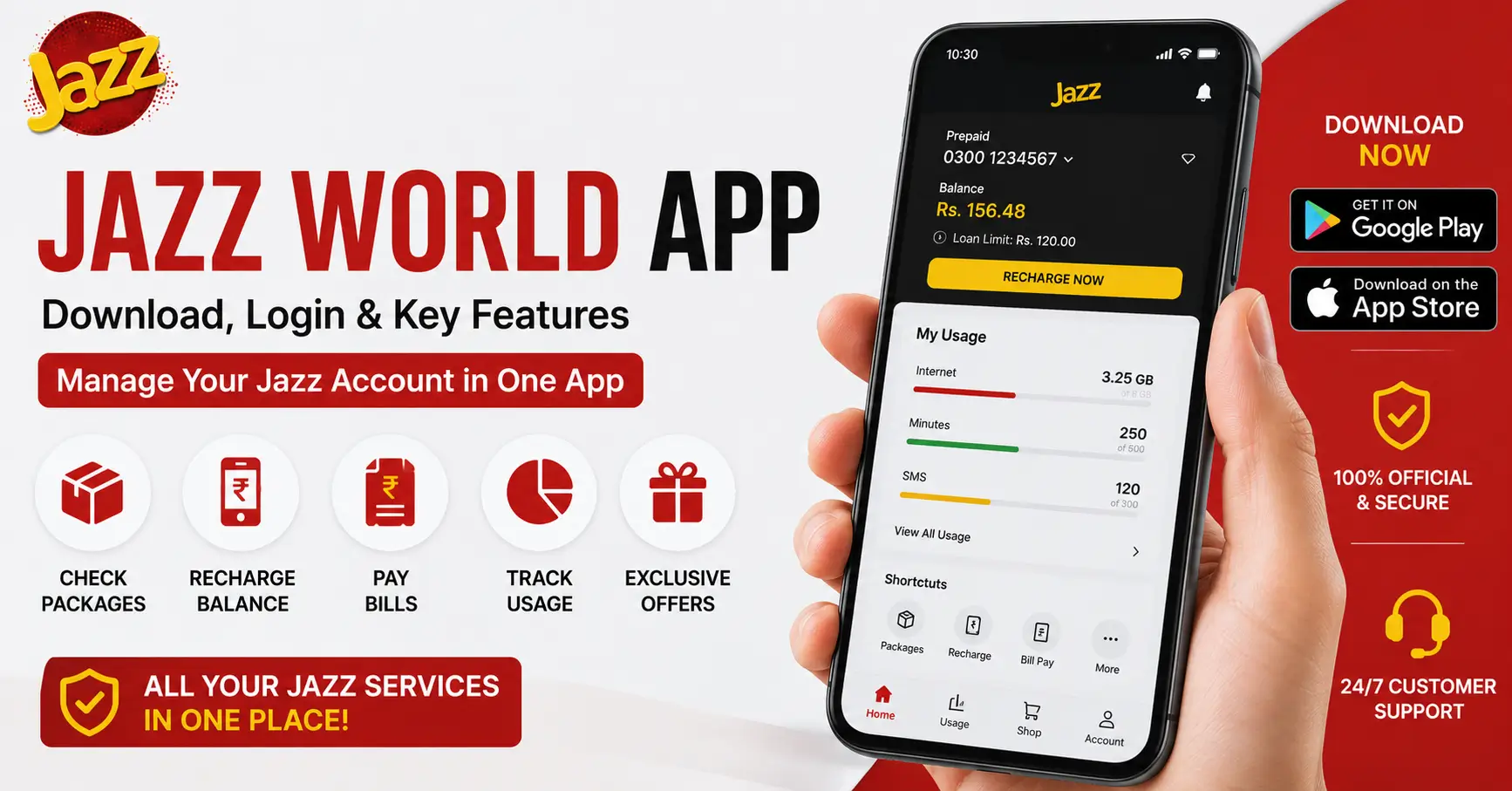
Jazz World App: Download, Login & Key Features
Managing your Jazz number has become much easier with the Jazz World App. Instead of remembering activation codes or visiting a service center, you can complete most account-related tasks directly from your smartphone.
The app is designed to help users:
- Check remaining balance, internet, SMS, and minutes
- Subscribe to the latest Jazz packages
- Recharge mobile balance
- Pay postpaid and utility bills
- View call and usage history
- Access exclusive in-app offers
- Manage multiple Jazz numbers
Because everything is available in one place, the app saves both time and effort for daily account management.
What Is the Jazz World / MyJazz App?
The Jazz World App, also known as MyJazz, is the official account management application developed for Jazz subscribers. It provides a secure dashboard where customers can monitor and manage nearly every mobile service connected to their number.
Both prepaid and postpaid users can use the app to access their account information in real time.
Some of its most useful functions include:
| Feature | Description |
|---|---|
| Balance Check | View current mobile balance instantly |
| Package Management | Activate or unsubscribe from packages |
| Resource Tracking | Monitor remaining MBs, SMS, and minutes |
| Recharge | Load balance using multiple payment methods |
| Bill Payment | Pay postpaid and utility bills |
| Account History | View recent transactions and usage |
| Exclusive Offers | Access app-only promotions and discounts |
The app receives regular updates that improve performance and introduce new features.
How to Download (Official Play Store / App Store Links Only)
To protect your personal information, always download the Jazz World App from official app stores.
For Android
- Open Google Play Store.
- Search for Jazz World.
- Verify that it is the official Jazz application.
- Tap Install.
- Wait for the installation to complete.
For iPhone
- Open the Apple App Store.
- Search for Jazz World.
- Select the official app.
- Tap Get.
- Install and launch the application.
Important: Avoid downloading installation files from unknown websites. Official app stores provide verified versions that receive regular security updates.
How to Register & Log In
Getting started with the Jazz World App only takes a few minutes.
Registration Steps
- Install the app from the official store.
- Open the application.
- Enter your Jazz mobile number.
- Request a One-Time Password (OTP).
- Enter the OTP received by SMS.
- Complete the verification process.
- Your account is ready to use.
Login Steps
- Launch the app.
- Enter your registered Jazz number.
- Verify using OTP if required.
- Access your dashboard.
If you’re already verified on your device, future logins may happen automatically without requesting a new OTP every time.
Key Features (Package Check, Recharge, Bill Pay, Balance Save)
The Jazz World App includes several tools that make account management quick and convenient.
Package Check
Users can easily view:
- Remaining internet data
- Available call minutes
- Remaining SMS
- Package expiry dates
This helps avoid unexpected balance deductions.
Recharge
The app supports multiple recharge methods, including:
- Scratch cards
- Debit cards
- Credit cards
- Digital wallets
- Bank payments
Recharge history is also available for future reference.
Bill Pay
Postpaid users can:
- View outstanding bills
- Pay bills securely
- Download payment receipts
- Check previous payments
Some versions of the app also allow utility bill payments.
Balance Save
Users can activate balance protection services and monitor unwanted balance usage more easily through the app’s account management options.
Additional useful features include:
- Package recommendations
- Daily usage reports
- Exclusive promotional offers
- Multiple number management
- Customer support access
- Profile settings
Common Login Problems & Fixes
Although logging in is usually straightforward, some users may occasionally encounter issues.
| Problem | Possible Solution |
|---|---|
| OTP not received | Wait a few minutes, check network coverage, and request a new OTP |
| Incorrect number entered | Verify the Jazz number before requesting verification |
| Internet connection issue | Switch between mobile data and Wi-Fi |
| Outdated app version | Update the app from the official store |
| Temporary server issue | Try logging in again after some time |
If the problem continues, contact Jazz customer support through official support channels for further assistance.
Is the APK Download Safe? (Why We Only Recommend Official Stores)
Many websites offer APK files for Android devices, but downloading them from unofficial sources can expose your phone and personal information to security risks.
Potential risks include:
- Modified applications
- Malware or viruses
- Data theft
- Login credential compromise
- Missing security updates
For the safest experience, always install the Jazz World App from:
- Google Play Store (Android)
- Apple App Store (iPhone)
Official stores verify apps, provide automatic updates, and reduce the risk of installing harmful software.
FAQs
1. What is the official name of the Jazz self-service app in 2026?
The official self-service application is called the Jazz World App (MyJazz).
2. Is Jazz World the same as the MyJazz app?
Yes, Jazz World and MyJazz refer to the same official Jazz mobile application.
3. How do I log in if I don’t receive the OTP?
Wait a few minutes, check your network signal, and request a new OTP.
4. Can I use the app without a Jazz internet package?
Yes, you can use the app with any available internet connection, including Wi-Fi.
5. Is it safe to download the Jazz app APK from third-party sites?
No, you should only download the Jazz World App from the official Google Play Store or Apple App Store for security and reliability.