Jazz Number Check Code 2026: How to Find Your Own Jazz Number
Jazz Number Check Code
Jazz number check code is the quickest and most reliable way to find your own Jazz SIM number in just a few seconds. Whether you’ve recently purchased a new SIM, switched to a different phone, or simply forgotten your mobile number, the official Jazz number check code lets you view your registered number instantly without any complicated steps.
Instead of guessing your number or asking someone to call you, you can use the official USSD code or other verified methods provided by Jazz. In this guide, you’ll learn how to check your Jazz number using the USSD code, the MyJazz App, and other official options. We’ll also explain what to do if the code doesn’t work and clarify the legal way to verify SIM ownership through your CNIC.
Jazz Number Check Code (USSD)
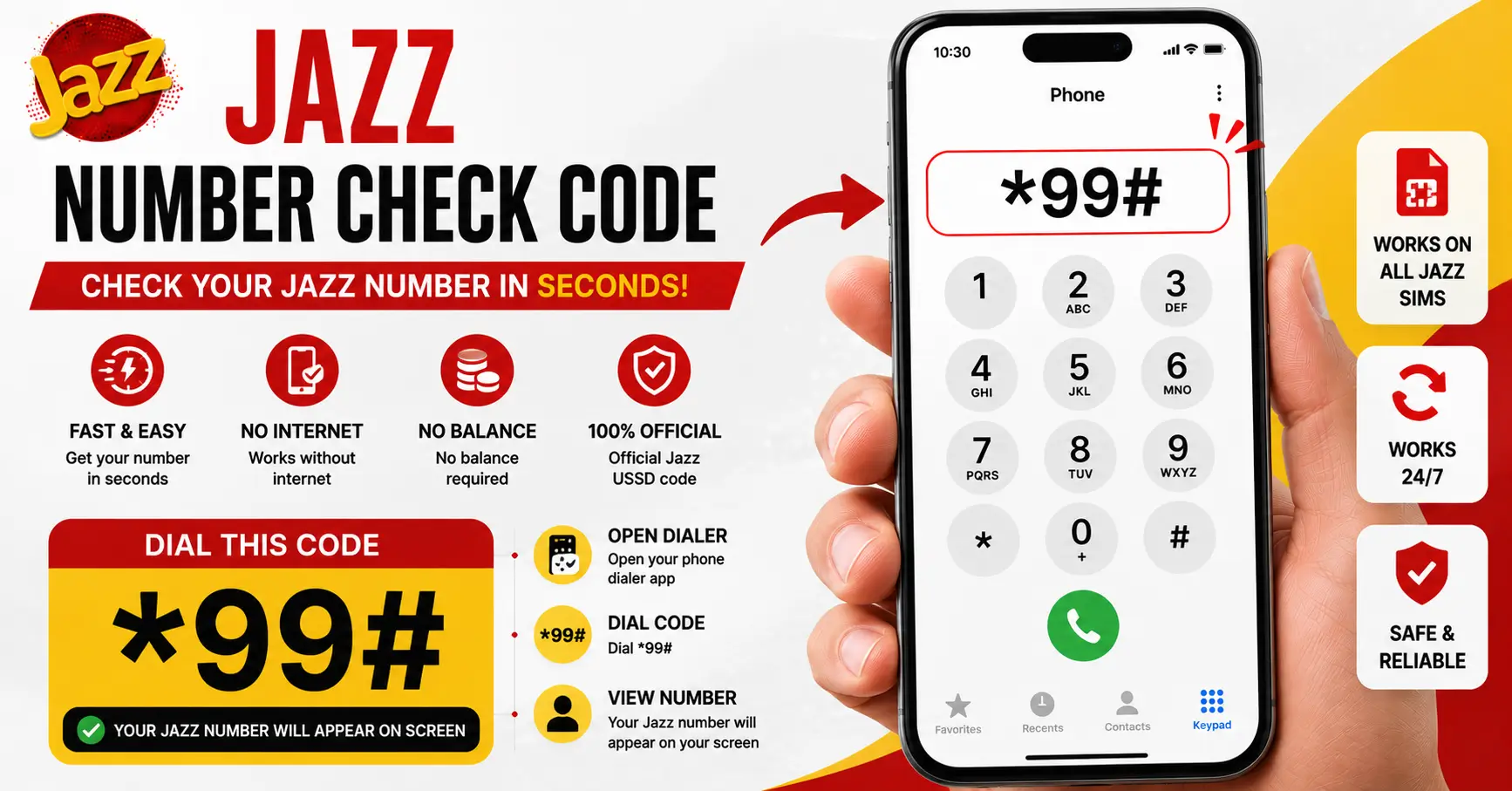
The fastest way to find your own Jazz number is by dialing the official USSD code.
| Method | Details |
|---|---|
| Jazz Number Check Code | *99# |
| Requirement | Active Jazz SIM |
| Internet Needed | No |
| Balance Required | Usually No |
| Time Required | A few seconds |
Steps
- Insert your Jazz SIM into your phone.
- Open the Phone/Dialer app.
- Dial *99#.
- Press the Call button.
- Your Jazz mobile number will appear on your screen.
Important: If the code doesn’t respond, your SIM may not yet be fully activated, there could be a temporary network issue, or Jazz may have updated the service. In that case, try one of the alternative methods below.
Check Your Jazz Number via SMS
If the USSD code isn’t working, you may be able to retrieve your number through SMS or customer support services, depending on the current Jazz service availability.
Steps
- Open the Messages app.
- Follow the latest SMS instructions provided by Jazz if available.
- If no SMS service is currently offered for number checking, contact Jazz Customer Care for assistance.
Before relying on third-party websites, always verify the latest SMS method through the official Jazz website or MyJazz App, as service procedures can change over time.
Check Your Jazz Number via the MyJazz App
The MyJazz App allows you to manage your account and view your SIM information in one place.
How to check your number
- Download the MyJazz App from the Google Play Store or Apple App Store.
- Log in using your Jazz SIM.
- Open the home screen.
- Your registered Jazz mobile number is displayed at the top of your account dashboard.
Benefits of using the MyJazz App
- View your Jazz number.
- Check remaining internet, minutes, and SMS.
- Subscribe to packages.
- Recharge your account.
- Manage multiple Jazz numbers.
If you regularly use Jazz services, the app is one of the most convenient ways to access your account details.
What to Do if the Code Doesn’t Work (New SIM / No Signal)
Sometimes the Jazz number check code may not work immediately. This doesn’t always indicate a problem with your SIM.
Common reasons
- The SIM is newly purchased and activation is still in progress.
- Poor or unavailable Jazz network coverage.
- Temporary network maintenance.
- SIM not properly inserted.
- Device software or network settings issue.
What you should do
- Restart your phone.
- Reinsert the SIM card.
- Move to an area with stronger Jazz coverage.
- Wait until the new SIM is fully activated.
- Try the code again after some time.
- Contact Jazz Customer Care if the issue continues.
If none of these steps resolve the problem, visit the nearest Jazz Franchise or Customer Service Center with your original CNIC for assistance.
How to Check a Jazz Number by CNIC (Owner Verification — What’s Legally Allowed)
Many users search for ways to check a Jazz number using a CNIC. However, there are important legal and privacy rules to understand.
What is legally allowed?
You cannot legally retrieve another person’s Jazz number simply by entering their CNIC. Pakistan’s privacy and telecom regulations protect subscriber information.
You may verify SIMs registered in your own name through official channels provided by the Pakistan Telecommunication Authority (PTA) or your mobile operator.
Safe and legal options
- Visit a Jazz Franchise with your original CNIC.
- Contact Jazz Customer Care for account verification.
- Use official PTA SIM ownership verification services when available.
Never use unofficial websites or apps claiming to reveal mobile numbers through CNIC, as they may violate privacy laws or expose your personal information.
FAQs
1. What is the current Jazz number check code?
Dial *99# from your Jazz SIM to view your mobile number.
2. How do I find my Jazz number if I have no balance?
The *99# code generally works without requiring mobile balance.
3. Can I check my Jazz number without internet access?
Yes, the USSD number check code works without an internet connection.
4. Is it possible to check someone else’s Jazz number by CNIC?
No, checking another person’s Jazz number through their CNIC is not legally permitted.
5. Why does the number check code fail on a brand-new SIM?
A newly issued SIM may still be activating or may not yet be registered on the network.