Jazz Remaining Package Check – MBs, Minutes & SMS Check Code
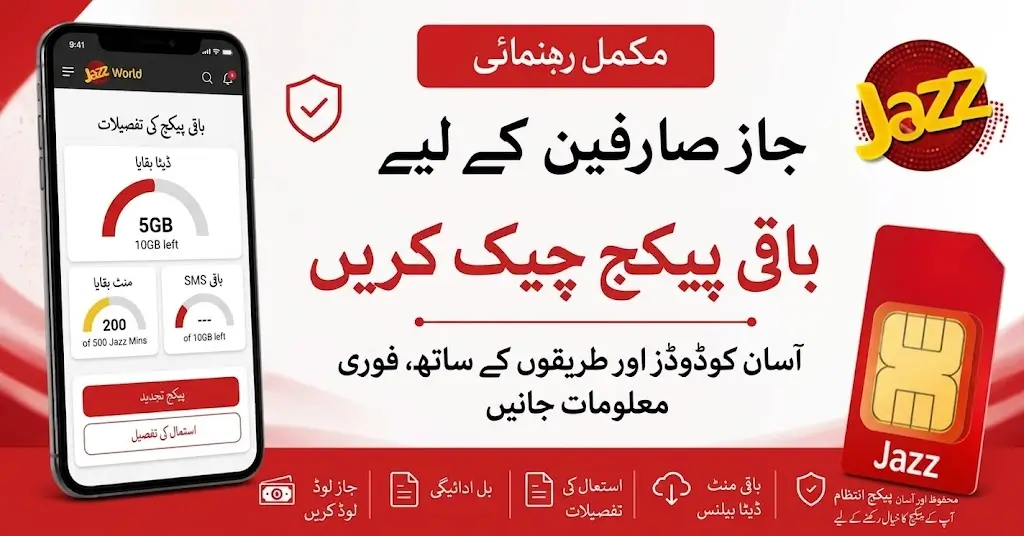
If you are looking for a Jazz Remaining Package Check, there are different ways to check your remaining internet MBs, call minutes, SMS, and package status. You can use the relevant USSD code from your phone or check your usage through Jazz’s digital self-service options.
This guide explains the Jazz Remaining Package Check Code, internet package status codes, remaining minutes, and other useful options in simple steps.
Jazz Remaining Package Check – Quick Codes
Here is a quick reference table for the main codes discussed in this guide:
| Purpose | Jazz Code |
|---|---|
| General Internet / Package Usage | *114*3# |
| Weekly Internet Package Status | *117*47*2# |
| Monthly Internet Package Status | *117*30*2# |
| Make Your Own Bundle – Daily | *303*1# |
| Make Your Own Bundle – Weekly | *303*7# |
| Make Your Own Bundle – Monthly | *303*30# |
| Remaining Call Minutes | *222*3# |
| Main Account Balance | *111# |
Jazz Remaining Package Check Code
Jazz provides different USSD options for checking package usage. The code you need can depend on the type of package you have subscribed to.
For general internet/package usage, one of the listed options is:
Jazz Remaining Internet Check Code: *114*3#
Simply open your phone’s dialer, enter the code, and press the call button. Your available package information should be displayed if the service is applicable to your account.
Another common method for some Jazz packages is to add:
*2#
to the end of the package’s subscription code. However, this method is package-specific, so it should not be treated as a universal code for every Jazz bundle.
Jazz Remaining MBs Check Code
If you mainly want to know how much internet data is left in your Jazz package, you can use:
*114*3#
This is useful for checking your remaining internet resources without opening the app. Jazz also has specific status codes for some internet bundles. For example, weekly and monthly internet packages have their own package-status codes.
Weekly Internet Package Status
For listed weekly internet packages:
*117*47*2#
Monthly Internet Package Status
For listed monthly internet packages:
*117*30*2#
These codes are useful when you want to check the remaining resources of the relevant weekly or monthly internet package.
Jazz Remaining Call Minutes Check Code
If you want to check your remaining Jazz call minutes, the listed status code is:
*222*3#
Dial the code from your Jazz SIM and follow the information displayed on your screen. This is commonly useful when you have an active call bundle and want to know how many minutes are still available.
Jazz Remaining SMS Check Code
SMS resources can also be part of Jazz bundles. Depending on the package, the available resources and status information may be shown through the relevant package status option.
If your package has a specific subscription code with a status option, you can use the package’s applicable status method rather than assuming that one code works for every Jazz SMS bundle.
Jazz Monthly Remaining Package Check Code
If you are using a monthly Jazz internet package, the listed monthly internet package status code is:
*117*30*2#
Dial this code from your Jazz SIM to check the status of the relevant monthly internet package. This can be useful if you want to know whether your monthly MBs are still available and how much of your package remains.
Why Check Your Monthly Package Status?
Regularly checking your package can help you:
- Keep track of remaining internet resources
- Know when your bundle is close to ending
- Avoid unexpected use of your main balance
- Check your package without opening a website
- Monitor your monthly internet usage
Jazz Weekly Remaining Package Check Code
For listed weekly internet packages, Jazz provides the following status code:
*117*47*2#
You can dial the code from your Jazz SIM to check the applicable weekly package status. If you have more than one active bundle, the information shown can depend on the package and account status.
Make Your Own Bundle Remaining Package Check
Jazz also offers status options for its Make Your Own Bundle service.
The available status codes listed for these bundles are:
| Bundle Type | Status Code |
|---|---|
| Daily | *303*1# |
| Weekly | *303*7# |
| Monthly | *303*30# |
Select the code according to the validity of your Make Your Own Bundle.
Can I Check Jazz Remaining MBs, Minutes and SMS Together?
Users often search for a single Jazz Remaining Package Check Code that can show all remaining MBs, call minutes, and SMS at once.
It is better not to assume that one USSD code works universally for every Jazz package. Jazz has different package-specific status codes, so the correct method can depend on the bundle you are using.
For this reason, use the status code provided for your particular package where available.
If you have seen or received the code *444*6*2*3# and it works on your Jazz SIM, you may be able to use it according to the service available on your account. However, this code should not be presented as a universally confirmed Jazz package-status code unless Jazz officially confirms it.
How to Find Your Own Jazz Number
Check Jazz Remaining Package Through SIMOSA
Another convenient way to check your Jazz usage is through the SIMOSA app.
Jazz’s digital self-service options provide account and usage information through the app’s dashboard. Depending on your account and active services, you can view information related to your remaining MBs, minutes, and other resources.
This can be more convenient than remembering several USSD codes.
Check Jazz Usage Through WhatsApp
Jazz also provides WhatsApp-based customer support.
You can send Hi to the official Jazz WhatsApp number:
0300-3008000
You can then follow the available options for account and usage-related information.
This is another option for users who prefer checking their account information through WhatsApp instead of using USSD codes.
Jazz Account Balance Check Code
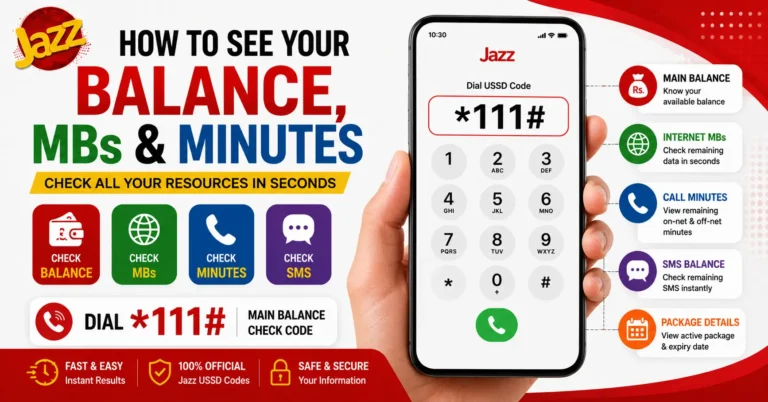
If you want to check your main Jazz account balance instead of your package resources, the listed balance-check code is:
*111#
Keep in mind that your main account balance and your remaining package resources are different things.
For example, a user may have money available in the main account while also having MBs or minutes remaining in an active bundle.
How to Check Jazz Remaining Package Step by Step
Checking your package is simple.
Step 1: Open the dialer on your mobile phone.
Step 2: Enter the status code for your package.
Step 3: Press the call button.
Step 4: Wait for the USSD response.
Step 5: Check the remaining resources shown for your package.
If you do not get the expected information, check whether you are using the correct status code for your particular package.
Jazz Remaining Package Check Without USSD Code
If you do not want to remember USSD codes, you can use Jazz’s digital self-service options.
The SIMOSA app can provide account and usage information through its dashboard. This makes it easier to keep track of your remaining resources in one place.
Jazz WhatsApp support is another option for account and usage-related information.
Important Difference Between Balance and Package Resources
Many users confuse their Jazz balance with their remaining package resources.
They are not the same.
Main balance is the money available in your Jazz account.
Package resources can include things such as:
- Internet MBs
- Call minutes
- SMS
- App-specific data
- Other bundle resources
So, if you want to know how much internet or how many minutes are left, use the relevant Jazz Remaining Package Check option instead of checking only your main balance.
Frequently Asked Questions
What is the Jazz Remaining Package Check Code?
The appropriate code depends on the Jazz package. For general internet/package usage, *114*3# is one of the listed options.
How can I check my remaining Jazz MBs?
You can use *114*3# for the listed general internet/package usage check, or use the specific status code of your active internet bundle.
What is the Jazz Remaining Call Minutes Check Code?
The listed code for checking remaining minutes is *222*3#.
What is the Jazz Monthly Remaining Package Check Code?
For listed monthly internet packages, the status code is *117*30*2#.
What is the Jazz Weekly Remaining Package Check Code?
For listed weekly internet packages, use *117*47*2#.
How can I check my Jazz account balance?
Dial *111# to check your main Jazz account balance.
Can I check my Jazz package through an app?
Yes. Jazz provides the SIMOSA app as a digital self-service option where account and usage information can be viewed through the dashboard.
Can I check my Jazz usage through WhatsApp?
Yes. Jazz provides WhatsApp support at 0300-3008000. Send Hi and follow the available account and usage options.
Is *444*6*2*3# a universal Jazz remaining package code?
It should not be described as a universally confirmed Jazz code without official confirmation. Jazz has different package-specific status codes, so users should use the status code applicable to their package.
Final Words
Checking your remaining Jazz package is an easy way to keep track of your internet MBs, call minutes, and other bundle resources. Instead of waiting until a package expires or your main balance starts being used, you can check your package status regularly.
For general internet/package usage, *114*3# is one of the listed options, while *222*3# can be used for the listed remaining-minute check. Weekly and monthly internet packages have their own status codes, and SIMOSA provides a convenient digital way to view account and usage information.
Always use the status method that matches your specific Jazz package because different bundles can have different codes and options.